
Equipment Assignment Form: What It Is and What to Include
Which fields belong on an equipment assignment form? A sample field table, how to document returns and offboarding transfers, and how to move from paper to digital records.

Short Answer
An equipment assignment form is a document, signed by both sides, confirming that a company item such as a laptop, phone, vehicle or tool has been handed to an employee, on what date and in what condition. A good form names both parties, lists the asset number and serial number, records condition and accessories at handover, gives a planned return date where relevant, and carries both signatures. Returns and transfers deserve the same care. To keep signed forms attached to the right asset instead of in scattered folders, you can use an assignment tracking system such as EDVO.
This article is general information, not legal advice. For wording specific to your organisation and employment-law questions, consult your legal adviser.
Why an Equipment Assignment Form Matters
Handing a laptop to a new starter takes a minute. The trouble starts months later, when someone asks where that laptop is, what state it was in, or whether it ever came back. An asset handover form answers those questions in writing:
- It makes responsibility clear: from which date the item is in whose care.
- It records condition at handover: if existing scratches or missing accessories are noted, new damage on return is easy to tell apart.
- It simplifies returns and offboarding: there is no debate about which items a leaver should hand back.
- It supports audits and counts: when an asset cannot be found, the forms show who had it last.
What to Include: Fields and Examples
The table below lists the fields we recommend for an equipment assignment form, with sample values. The examples are illustrative; add or remove fields to suit your organisation.
| Field | Why it is there | Example value |
|---|---|---|
| Form number | A unique reference for the document | EAF-2026-0142 |
| Organisation and department | Identifies the issuing side | Example Ltd / IT |
| Issued by | The person handing the item over | [Full name], IT Officer |
| Received by | The employee who becomes responsible | [Full name], Sales Representative, staff no. 0387 |
| Asset number | Links the form to the asset record | DMB-100339 |
| Description | States plainly what was handed over | Laptop, 14-inch |
| Make / model / serial | Distinguishes identical models | Brand X, Model Y, serial SN-48213 |
| Accessories | Avoids disputes about missing parts | Charger, carry case |
| Condition at handover | The baseline for the return check | Working; light scratch on base |
| Handover date | When responsibility begins | 20 Oct 2026 |
| Planned return date | For temporary loans | Open-ended / 31 Dec 2026 |
| Terms of use | Points to company policy | Company IT and acceptable use policy applies |
| Signatures | Shows both sides agree | Issuer and recipient signatures, dated |
Category-specific fields make returns easier: registration, mileage and fuel level for vehicles; IMEI and line number for phones. Keep personal data to a minimum: a name and staff number are usually enough to identify the employee.
How to Prepare the Form, Step by Step
- Standardise the template: use one form across the organisation with the fields above. When every team has its own version, searching and comparing later gets hard.
- Pick the item from your asset list: copy asset and serial numbers from the register rather than typing them; most errors happen in these fields.
- Check condition together: inspect the item and its accessories with the employee and write down existing defects. Add photos if useful.
- Fill in the dates: the handover date and, for temporary loans, the planned return date.
- Sign and give a copy: both parties sign; the employee keeps a copy.
- Attach the form to the record: scan the signed form and attach it to the asset and assignment record. Even if the paper original stays on file, a digital copy makes it findable.
Documenting Returns
Returns matter as much as handovers, and they are often handled with less care. A return record should include:
- Which form it closes: form number and asset number.
- Return date and who received it.
- Condition on return: intact, damaged or lost, with a description of any damage and whether all accessories came back.
- Both signatures.
The real value of a return record is being able to set it next to the handover record. If a device went out “working” and came back “cracked screen”, the question of when it happened can only be answered if both records were kept properly.
Offboarding: Returns and Transfers When Someone Leaves
When an employee leaves, every assigned item should either be returned or transferred to someone else. A short checklist helps:
- Pull the list as soon as you hear: see everything assigned to that person in one place.
- Decide per item: back to stock, or straight to a successor or teammate?
- Check condition: compare against the handover record and count accessories.
- Issue a new form for transfers: if an item passes directly to another employee, close the old assignment and open a new one in the new holder’s name. Informal hand-to-hand transfers are the most common source of trouble in later counts.
- Cover the IT steps: company accounts, access and data on the devices need handling under your own policies.
- Confirm closure: make sure nothing is left open against the leaver’s name.
General Notes on the Legal Side
An equipment assignment form is widely used to document that an item was handed over and on what terms. A few points need care:
- Liability for damage or loss and deductions from pay are governed by employment law, which differs from country to country. A sentence on a form may not settle these questions on its own; take legal advice before adding such clauses.
- Personal data: the form holds an employee’s personal data, so data protection rules apply where you operate. Collect only what you need, restrict access and store the forms securely. Our article on enterprise software data security covers the software side.
- Retention: how long to keep forms depends on your policies and local legal requirements; agree it with your legal and finance advisers.
This section is general information, not legal advice.
From Paper Forms to Digital Records
A paper form does one job well: it proves a signature. But as long as it sits in a binder, answering “What does this employee have?” or “Which returns are overdue?” means leafing through folders. Digital assignment tracking changes that:
| Question | Paper forms in folders | Digital assignment tracking |
|---|---|---|
| What does an employee hold? | Search the folders | Listed in reports |
| Asset history | Forms found one by one | Assignments, returns and transfers on one card |
| Overdue returns | Noticed by chance | Shown in reports and alerts |
| Offboarding | List compiled by hand | Open assignments visible at once |
| Signed document | Paper original only | Scanned copy attached to the assignment |
You do not have to give up paper signatures to go digital. A practical route is to keep signing on paper and upload the scanned form to the assignment record. The signed original is preserved, while search, reporting and reminders happen in the system.
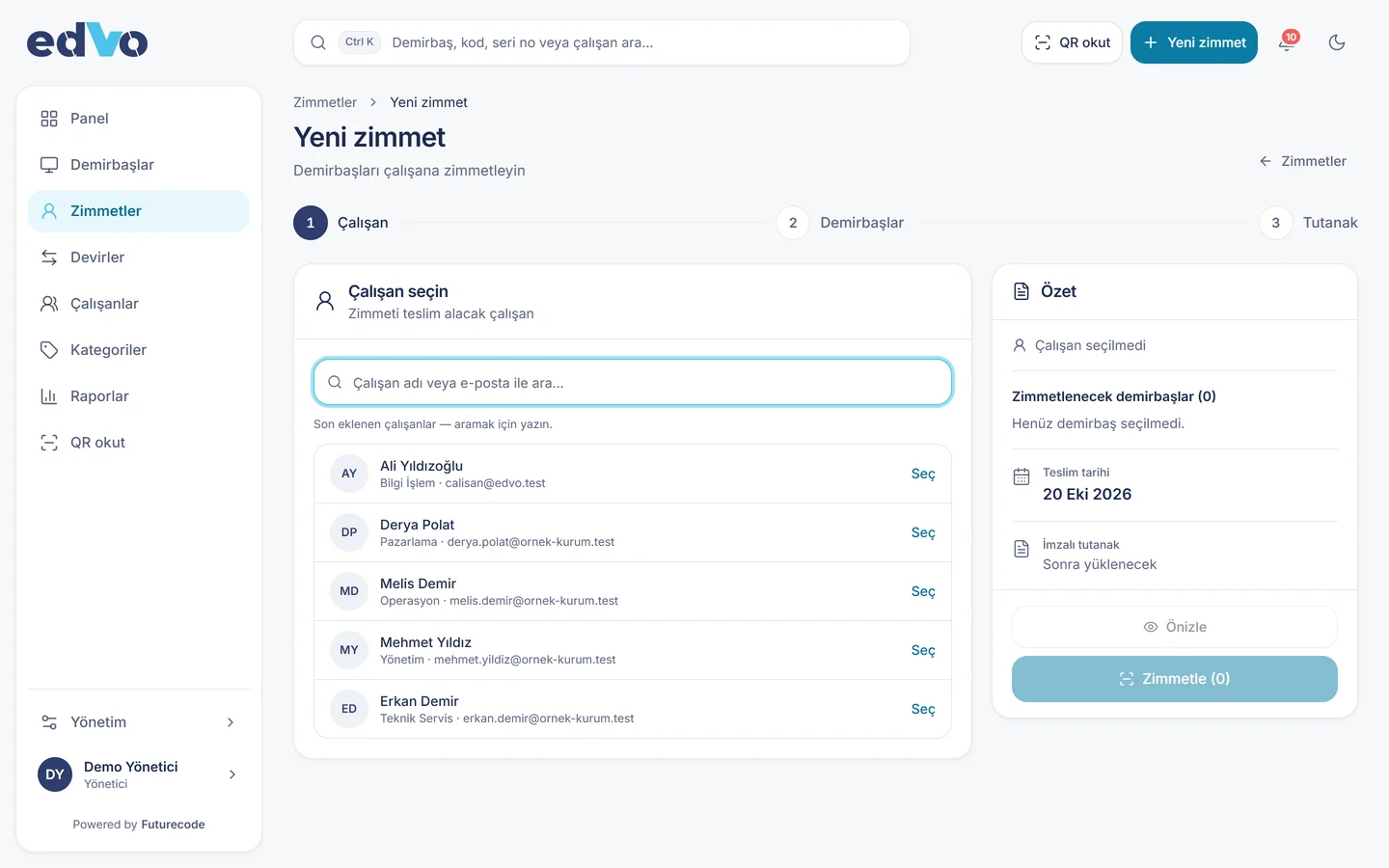
Assignment Tracking with Futurecode
Futurecode is a software company based in Ankara, Turkey. EDVO is our web application for asset and assignment tracking. When you assign an item you pick the employee and dates and upload the signed form, and the planned return date is tracked. Bulk returns are recorded as intact, lost or damaged, and transfers between employees are logged as their own records. Every change goes to the audit log, overdue returns trigger alerts, and employees see only their own items. EDVO runs in the cloud or on your own server.
If you want to redesign the assignment flow together with your HR and IT processes, see our process and workflow design service. For the broader case for moving paper processes online, read our article on business process automation. To see a demo, get in touch.
Related reading: Fixed Asset Tracking: Moving from Spreadsheets to QR Codes
For new guides and product news, follow Futurecode on LinkedIn.
Frequently Asked Questions
Is an equipment assignment form the same as an asset handover form?
In everyday use, yes. Both describe a signed document confirming that an item was handed to an employee and on what terms. Some organisations also call it an equipment custody or acknowledgement form.
Who signs the form?
At least two people: the person issuing the item and the employee receiving it. Some organisations add the line manager’s approval.
How do I transfer an assigned item to another employee?
Close the existing assignment with a return record, then open a new assignment in the new holder’s name. Informal hand-to-hand transfers leave the record unclear at the next count.
Can assignment forms be kept digitally?
Yes. A common approach is to sign on paper and attach the scanned form to the digital record. For the legal standing of electronic signatures in your jurisdiction, consult your legal adviser.
What if a leaver does not return equipment?
The legal side depends on employment law where you operate and on the facts of each case, so take legal advice. Preventively, pulling the list of open assignments at the start of offboarding and making returns part of the leaving process solves most cases.
How can I see everything assigned to one employee?
With paper, you search the folders. In a system such as EDVO, reports show who holds what, and employees can see their own items from their own account.