Skip to content
Find the rightsolution for you.
Explore a ready-made product or build custom software with our team.
Discuss your project →
Products Services Company Blog
Asset and assignment tracking
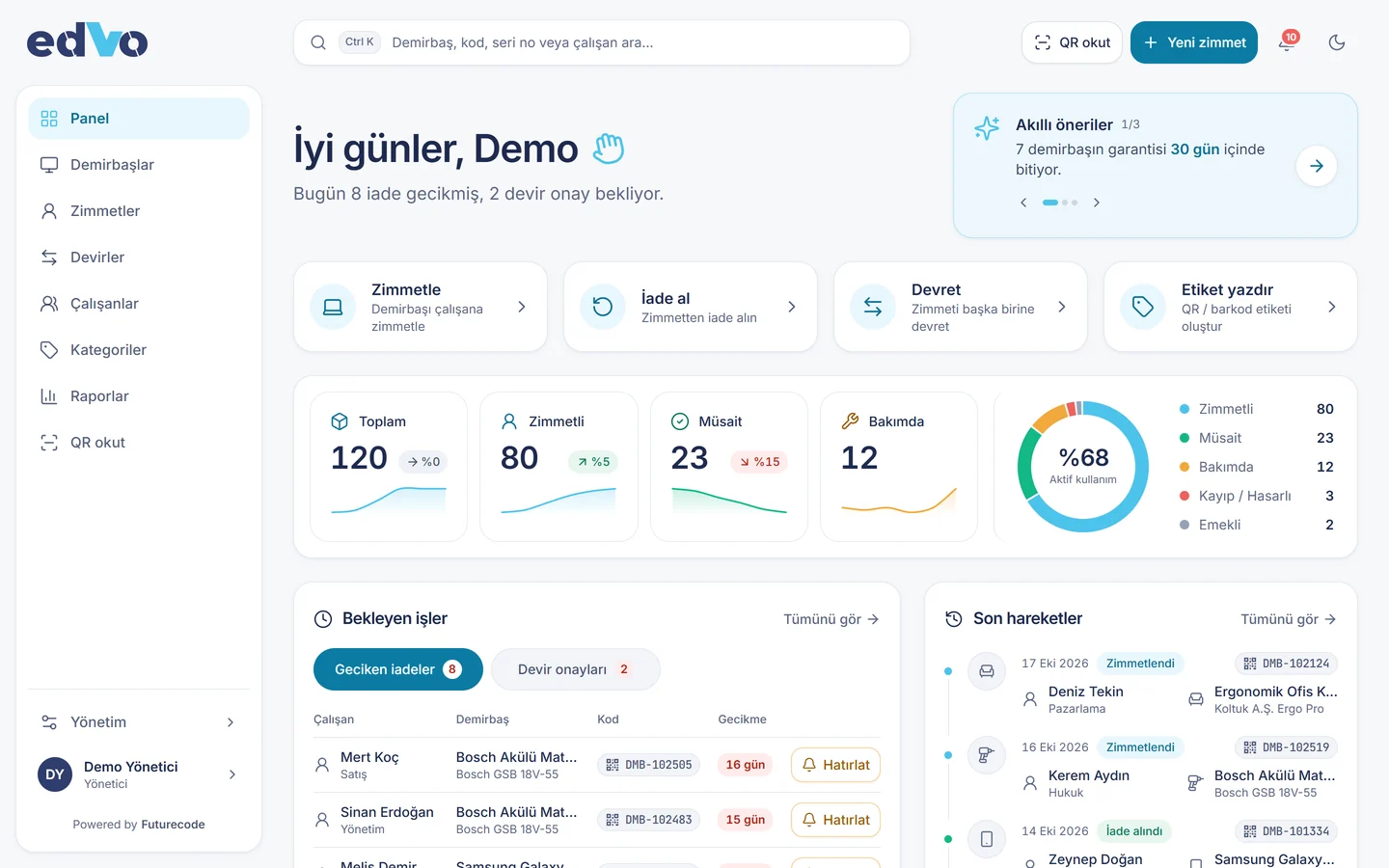
EDVO: Who has which asset, at a glance.Track every asset, from laptops and phones to vehicles and tools, with QR labels. Assignment, return, transfer and signed handover forms in one place; each employee sees their own items.
For HR and IT teams
Organisations with 20–2000 staff
In the cloud or on your own server
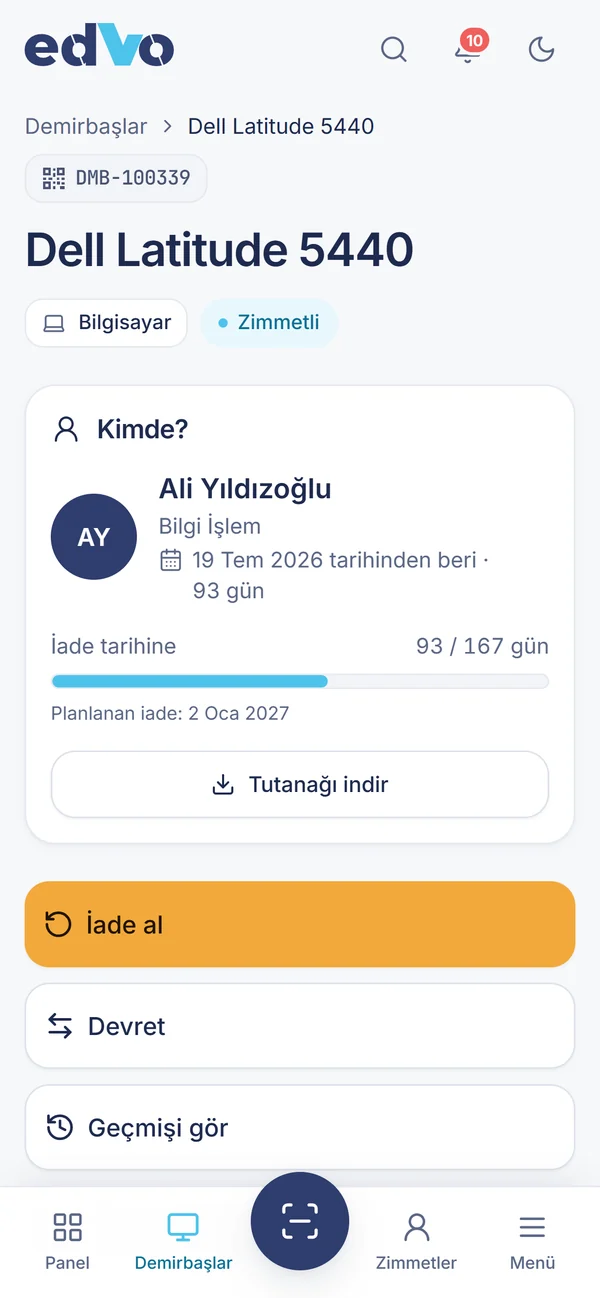
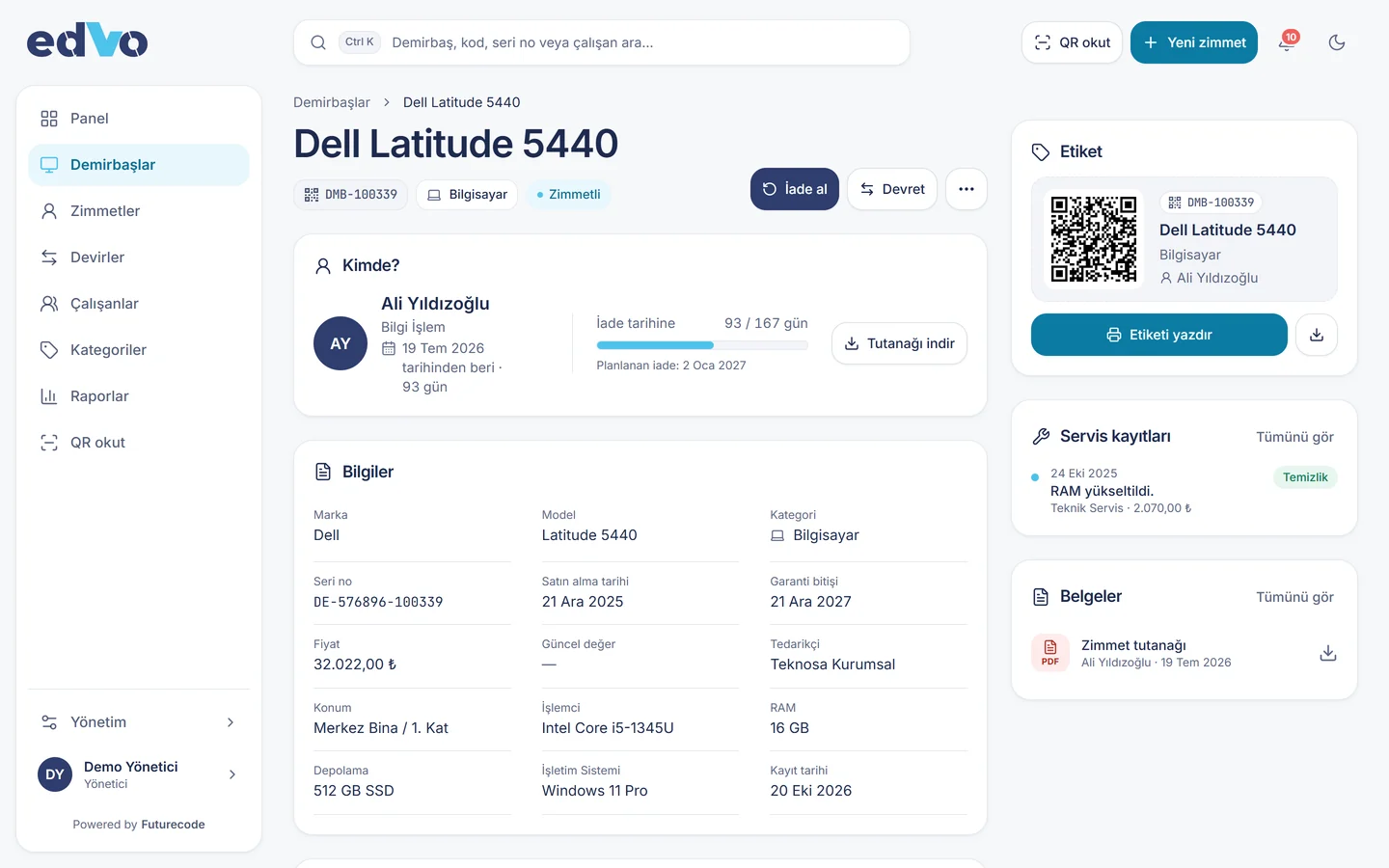
DMB-100339 Dell Latitude 5440 Assigned
Order in three steps
Register and label
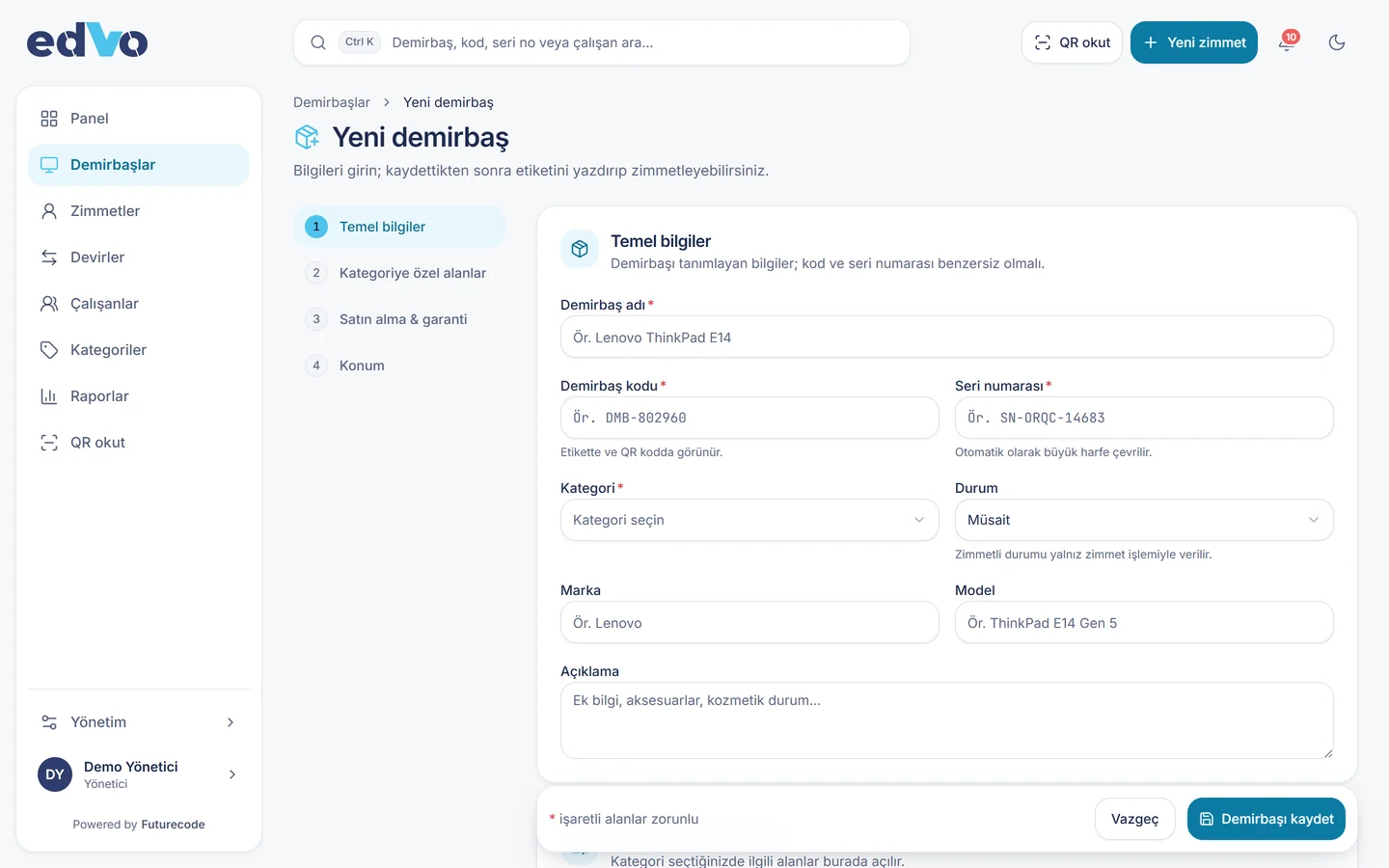
Register each asset with category-specific fields (serial, IMEI, plate); the system generates its QR label. Bulk import from Excel works too.
Assign
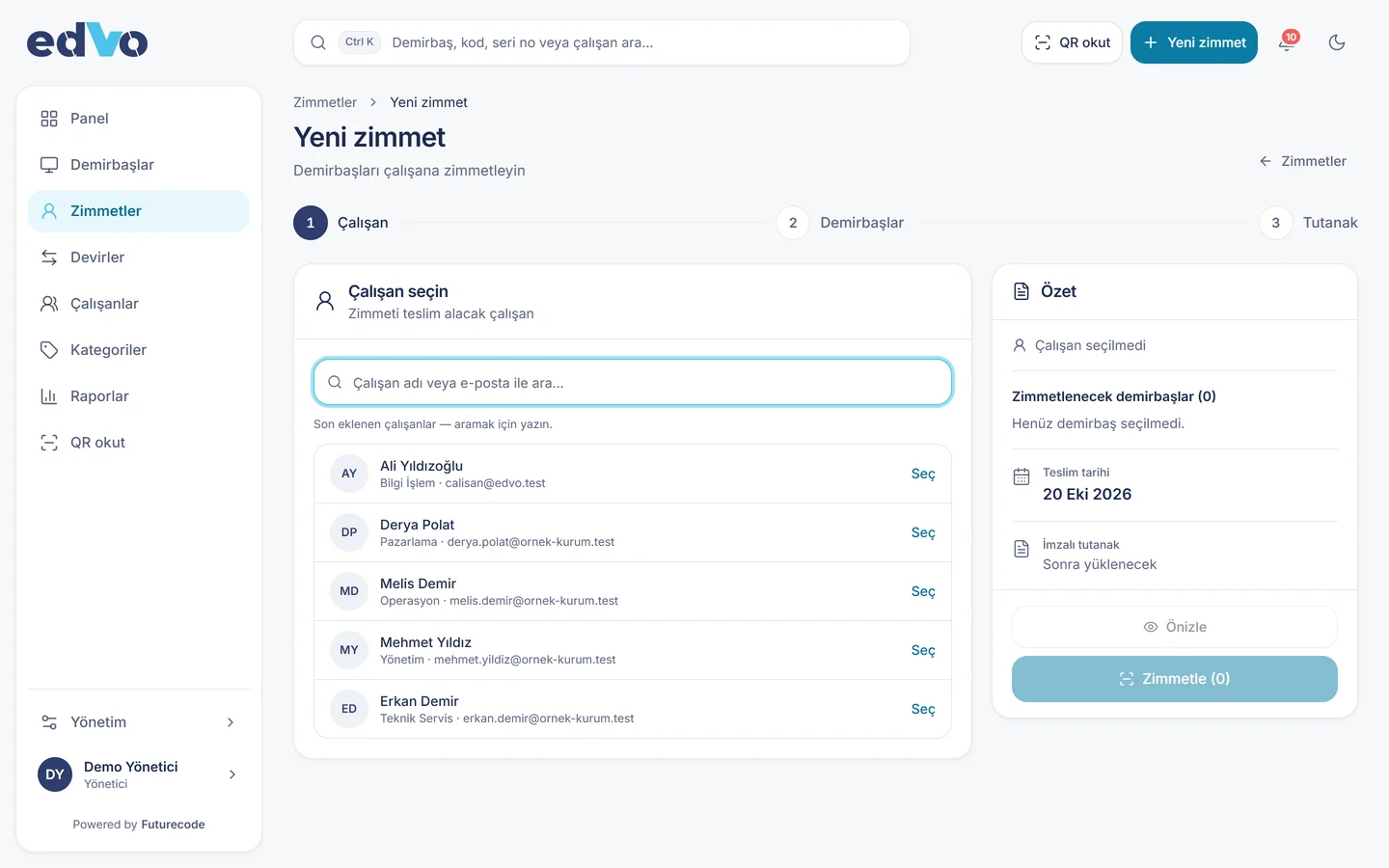
Pick the employee and dates and upload the signed form. The planned return date is tracked.
Track
Scan the QR with a phone to see who holds the asset, its history and its service records.
Asset card and full history
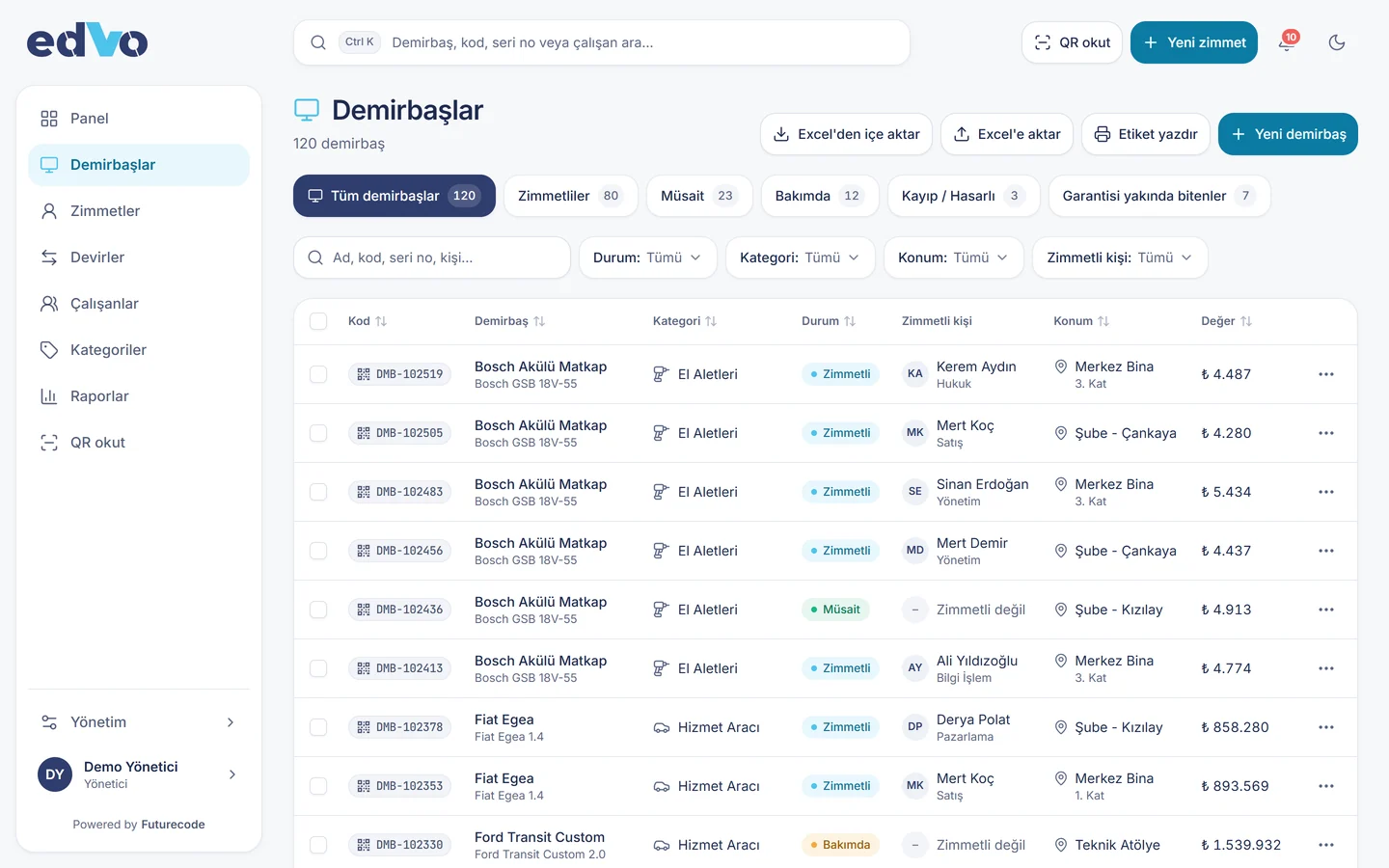
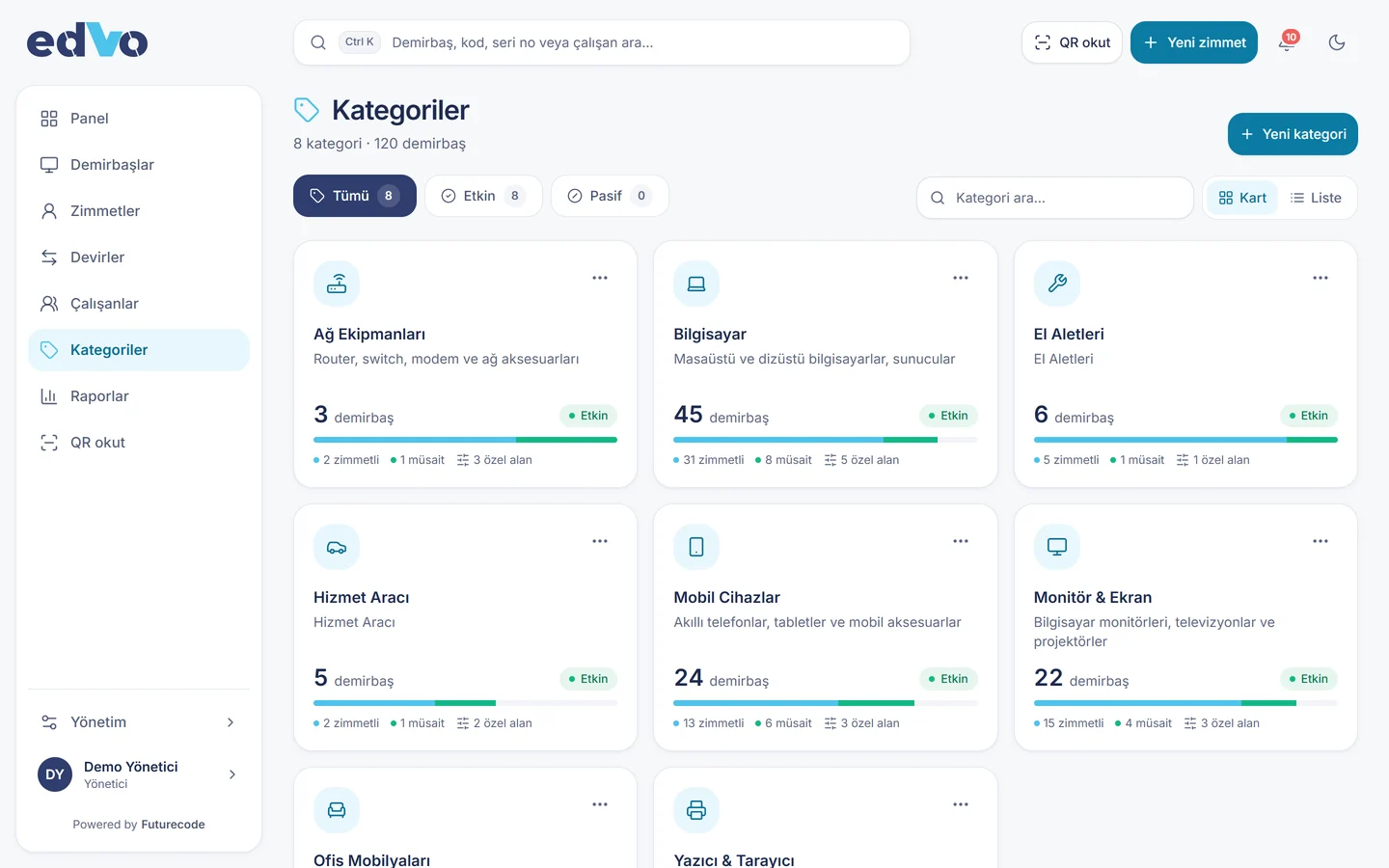
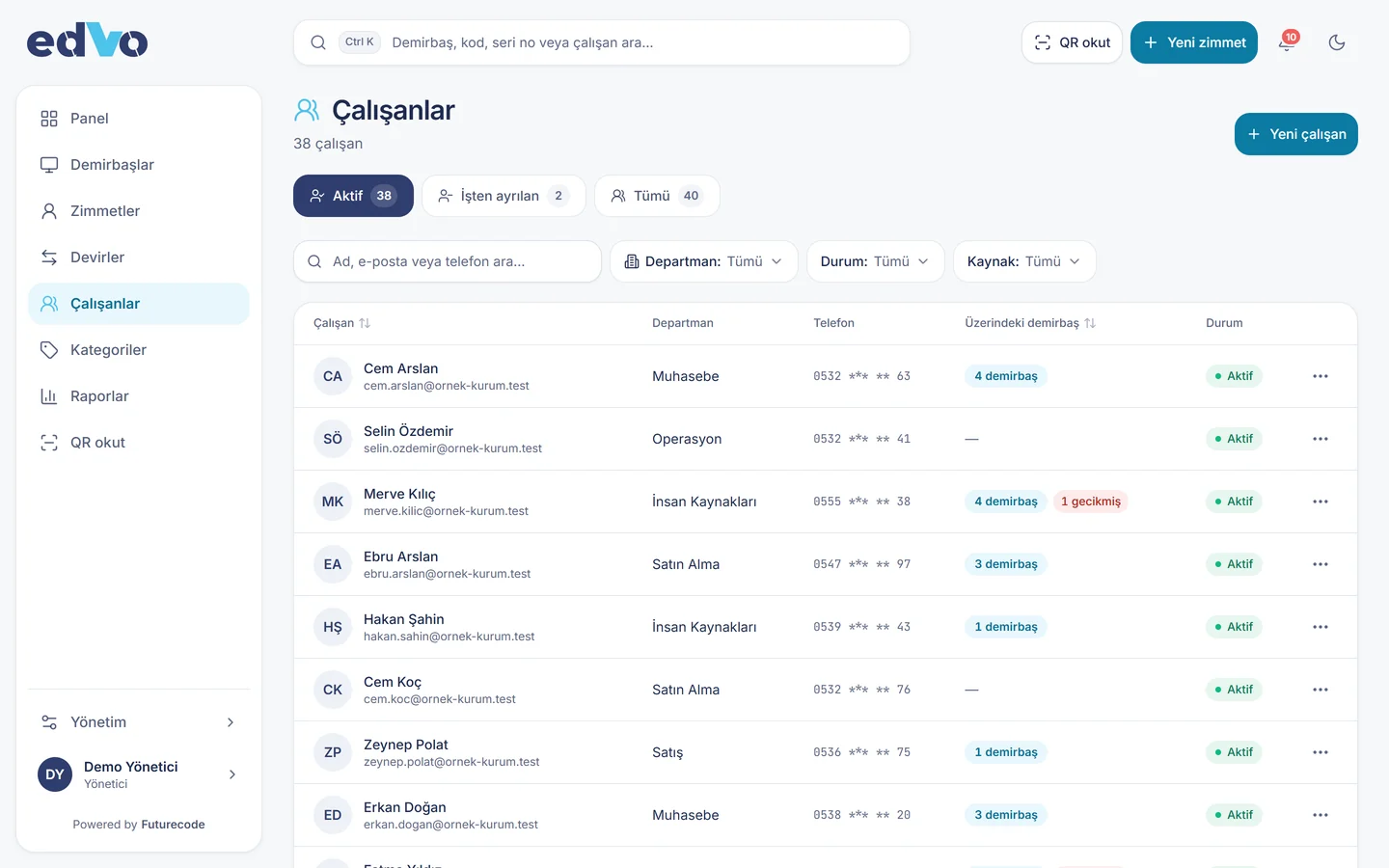
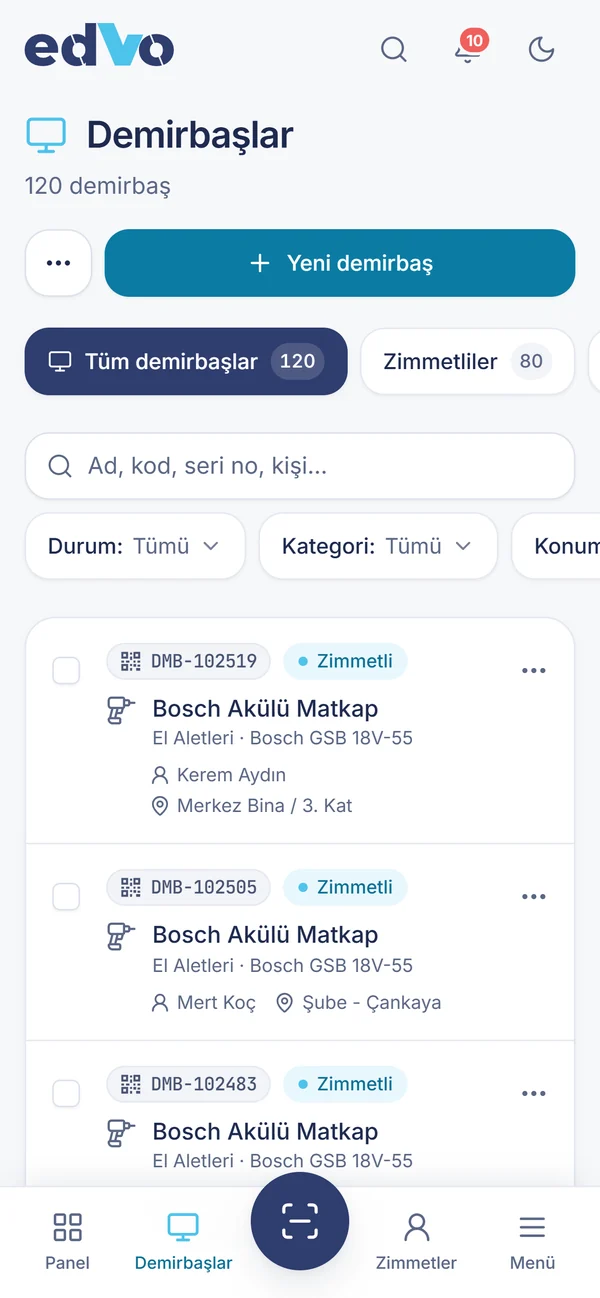
Every asset’s details, current holder, assignment history, notes and service records on one card. Categories can carry their own fields.
Custom fields such as serial, IMEI, plate Maintenance and service log Notes and attachments
Card
List
Categories
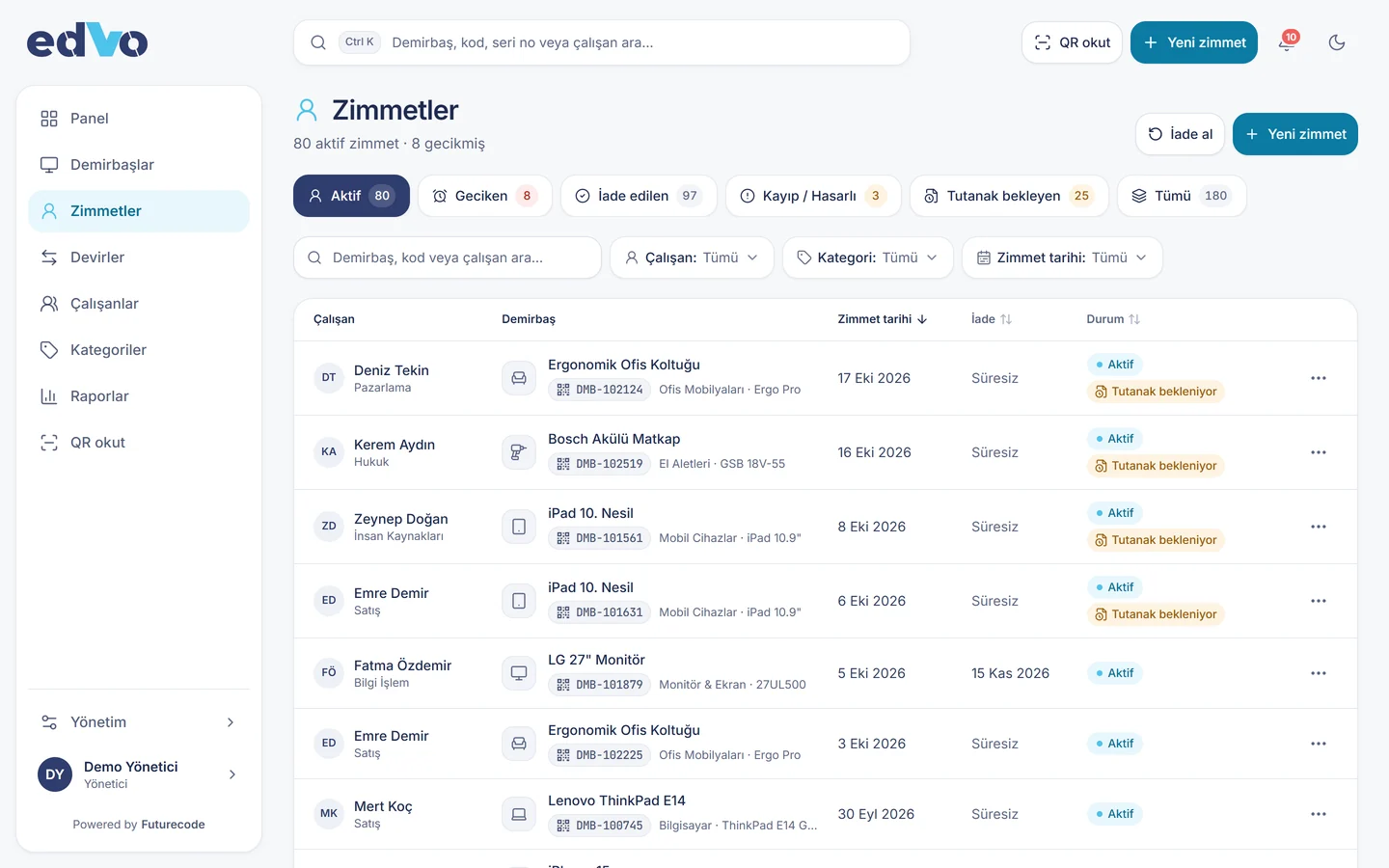
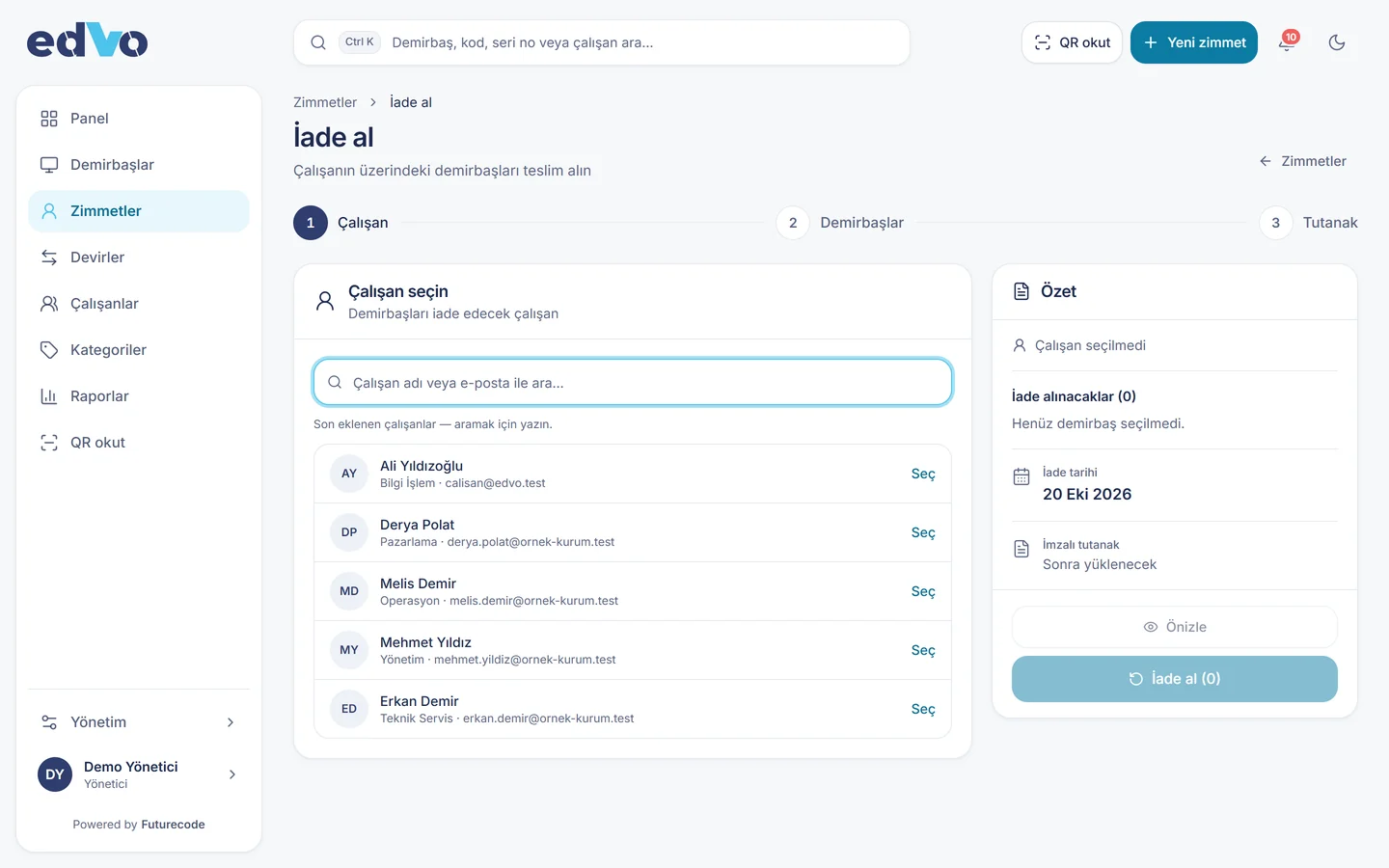
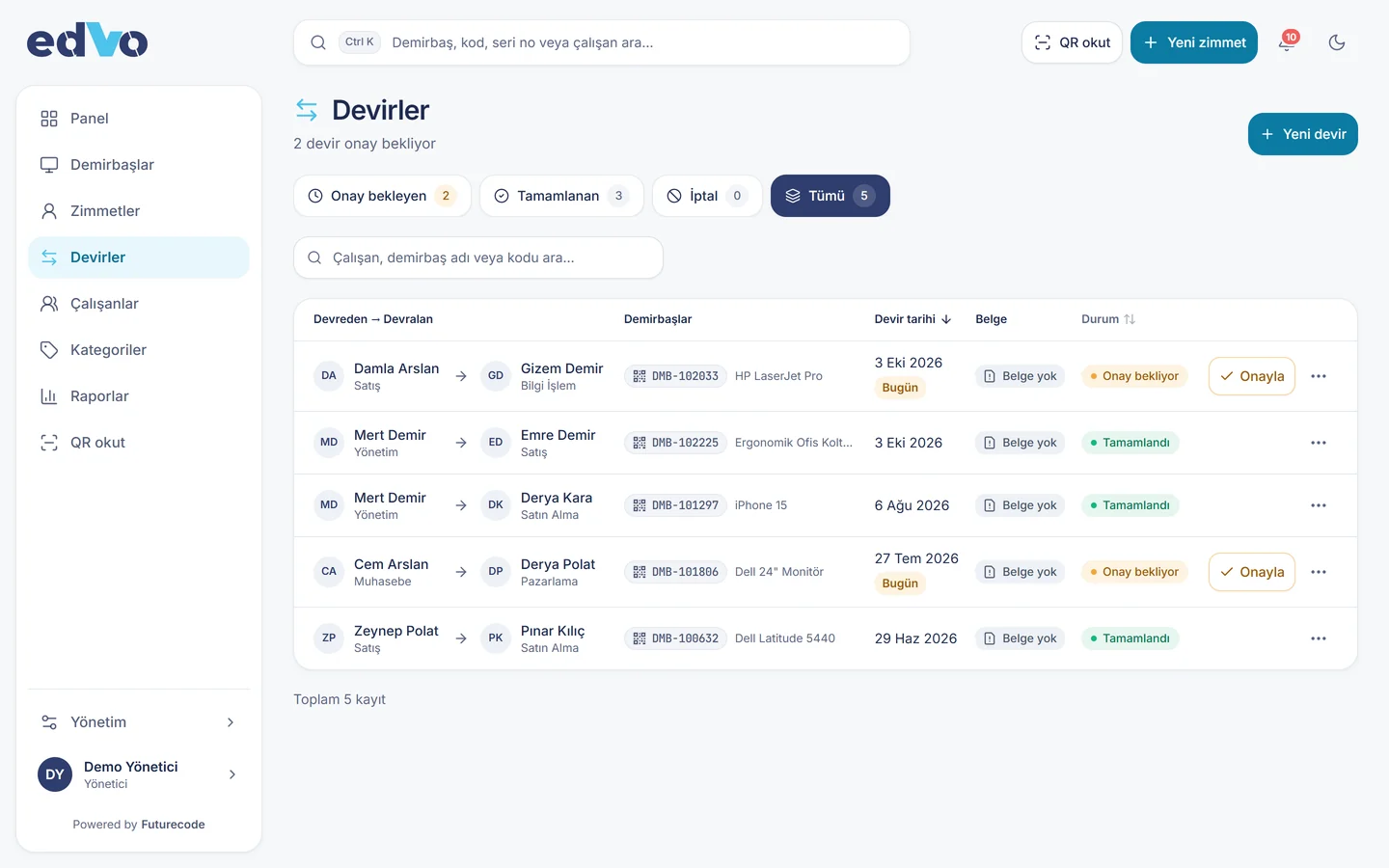
Assignment, return and transfer
Assign items, take bulk returns (intact, lost, damaged) and transfer between employees. Every action is logged and the form is attached.
Signed form upload Bulk returns Transfer between employees
Assignments
Bulk return
Transfers
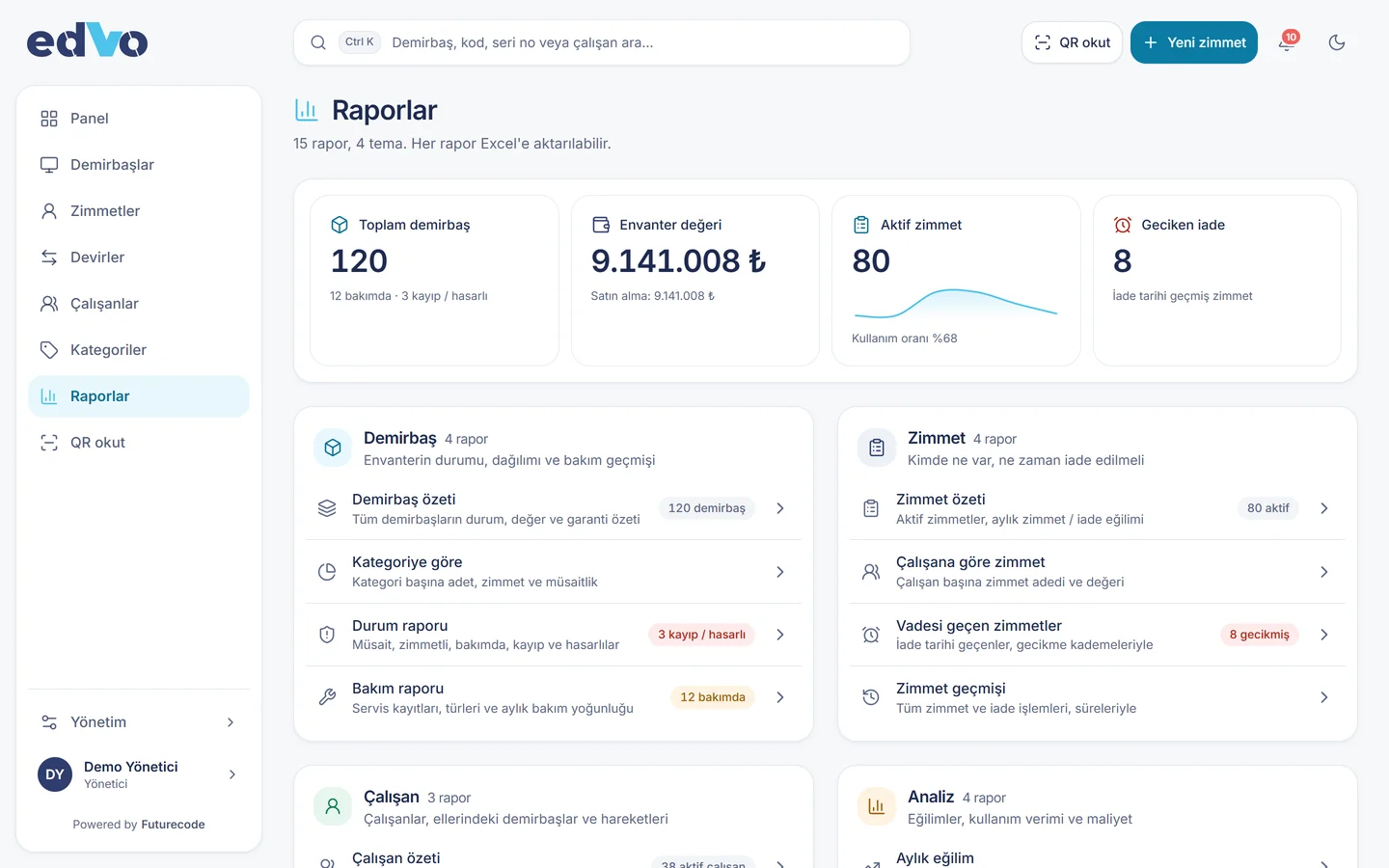
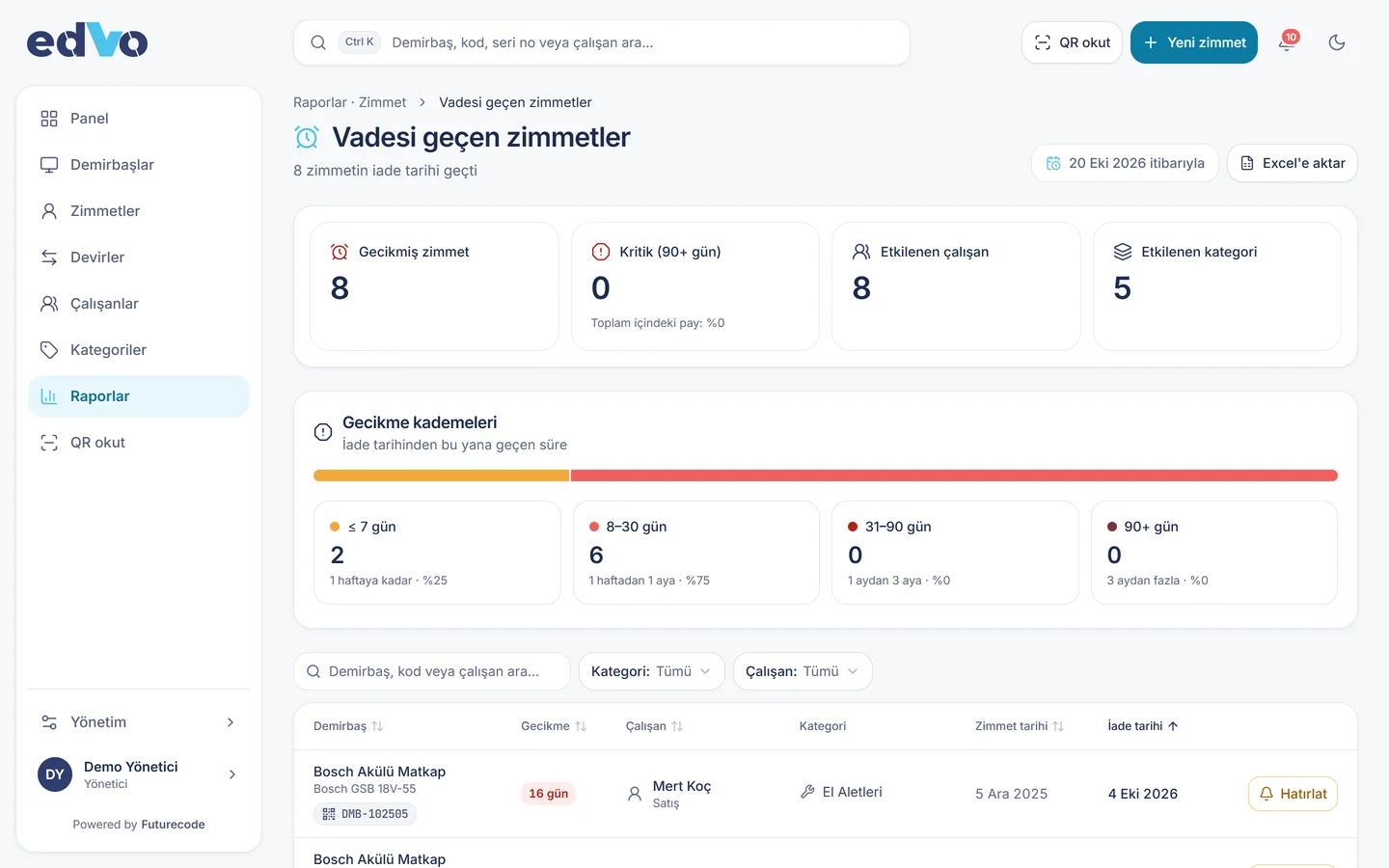
Reports and overdue returns
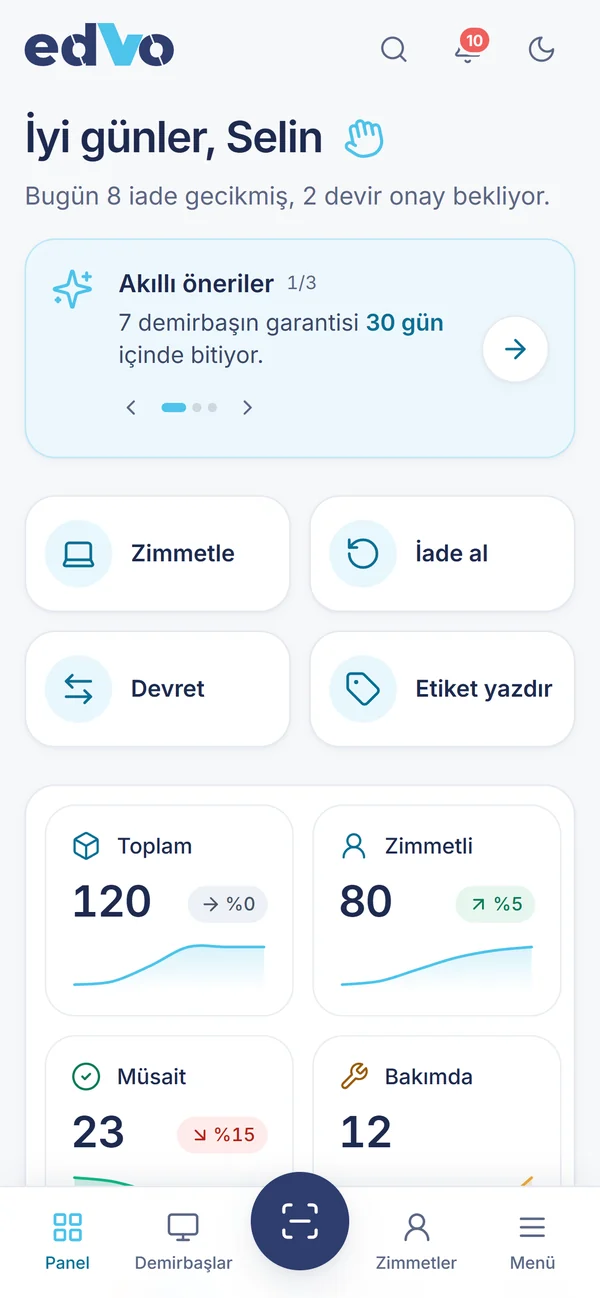
Who holds what, which returns are overdue, category distribution, utilisation and cost. Reports export to Excel.
Overdue return alerts Cost and utilisation analysis Excel import and export
Reports
Overdue
Employees
Role-based access and audit log
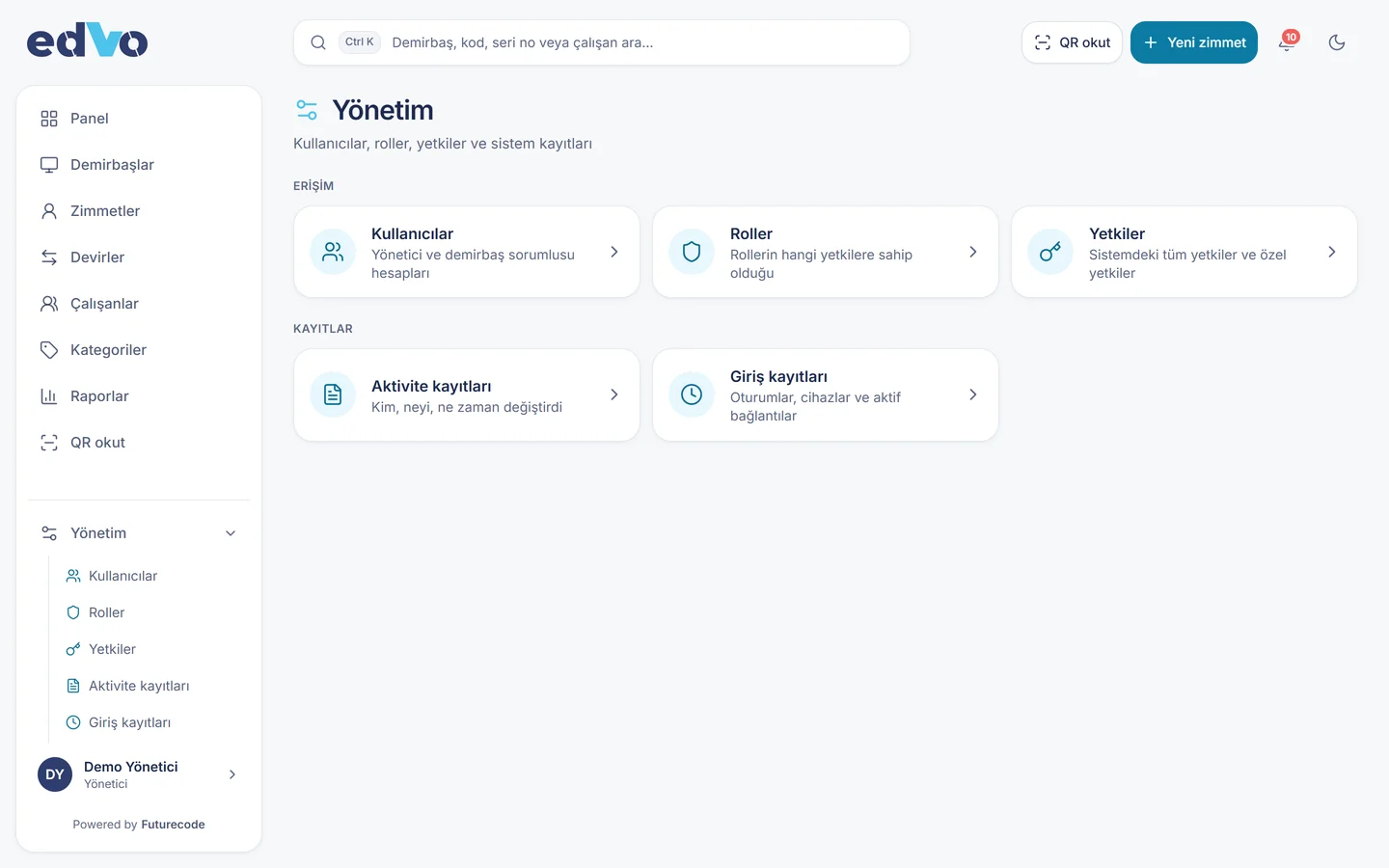
Administrator, asset officer and employee roles. Employees see only their own items; every change goes to the audit log.
Three roles, granular permissions Employees see their own items Change log
Admin
Employees
On the floor, by phone
Scan QR codes from the phone’s browser, with no app to install. The asset card, assignment status and actions are laid out for small screens.
Deployment and technical details
EDVO is a web application. Use it in the cloud or install it on your own server, so your data stays with you.
Request a demo
Platform Web; QR scanning from the mobile browser
Deployment Cloud or on-premises
Data transfer Bulk import and export with Excel
Roles Administrator, asset officer, employee
For Companies, municipalities and public bodies (20–2000 staff)
Need a system built for your organisation? EDVO is a Futurecode product. We listen to your needs in a short call and send a written scope proposal.
Call us Book a call
We use cookies on our website
We use cookies to improve your experience and remember your preferences. You can choose which cookies to accept.
Accept All Cookies
Only the Necessary Ones
Manage Cookie Preferences
Manage Your Cookie Preferences
We use cookies to give you the best experience on our website. You can manage your preferences here.
Strictly Necessary Cookies
Required for the site to function; cannot be turned off. Covers session and security cookies.
Always on
For details, you can review our Cookie Policy .
Necessary Only
Accept All
Save Preferences